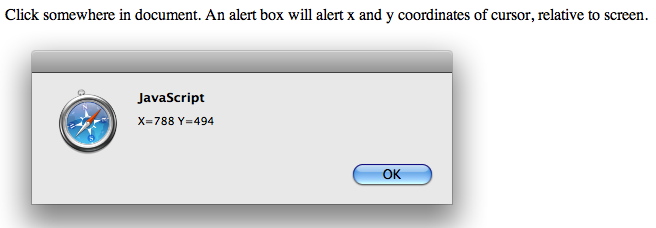
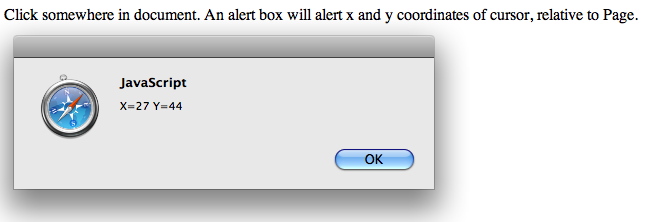
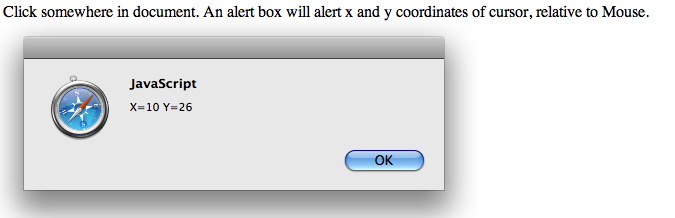
An alert box will alert x and y coordinates of cursor,
relative to mouse.
</p>
</body>
</html>
==================MATH_HOW2============================
+=
// x+=3
=> x=x+3 -=
// x-=y
=> x=x-y *=
// x*=y => x=x*y /=
// x/=y
=>
x=x/y %=
// x%=y => x=x%y &&
// (AND) Logical AND. (x<3 && y<=5) ||
// (OR) Logical OR (x<3 || y<=5) !
// (NOT) Logical NOT. !(x>3) &
// Bitwise AND. |
// Bitwise OR ^
// Bitwise XOR. <<
// Shift left. Example(s). >>
// Shift right. >>>
// Shift right, zero fill. Math.abs(a)
// the absolute value of a Math.acos(a)
// arc cosine of a Math.asin(a)
// arc sine of a Math.atan(a)
// arc tangent of a Math.atan2(a,b) //
arc
tangent of a/b Math.ceil(a)
// integer closest to a and not less than a Math.cos(a)
// cosine of a Math.exp(a)
// exponent of a Math.floor(a)
//
integer closest to and not greater than a Math.log(a)
// log of a base e Math.max(a,b)
// the maximum of a and b Math.min(a,b)
//
the minimum of a and b Math.pow(a,b)
//
a to the power b Math.random() //
pseudorandom number in the range 0 to 1 Math.round(a)
//
integer closest to a Math.sin(a)
// sine of a Math.sqrt(a)
// square root of a Math.tan(a)
// tangent of a
Math.E
// approximately 2.718.
Math.LN2
// Natural logarithm of 2.
Math.LN10:
// Natural logarithm of 10.
Math.LOG2E: // Base 2 logarithm of E.
Math.LOG10E: // Base 10 logarithm of E.
Math.PI:
// approximately 3.14159.
Math.SQRT1_2: // approximately 0.707.
Math.SQRT2: // Square root of 2,
approximately 1.414.
================STRING_HOW2============================ \b
Backspace. \f Form
feed. \n
Newline. \O Nul
character. \r
Carriage return. \t
Horizontal tab. \v
Vertical tab. \'
Single
quote or apostrophe. \"
Double
quote. \\
Backslash. \ddd
The Latin-1 char three octal digits between
0 and377. copyright is
\251. \xdd
The Latin-1 char two hexadecimal digits dd
between 00 and FF. copyright is \xA9. \udddd
The Unicode char four hexadecimal digits
dddd.
ie,
copyright is \u00A9. spaces
int a = 33;
a =
a+''
// This converts a to string b +=
''
// This converts b to string
string1='It\'s five o\'clock!'; document.write(string1);
//It's five o'clock! string1="echo
\'"+t.toFixed(2)+'
'+x.toFixed(3)+"\'>> t4 \n"
document.write(string1);
//echo '1.00
12.223' >> t4
var
str="Testing ";
str +="One
"+"Two";
//Testing
One Two
var
str="How are you doing today?";
document.write(str.split("
") + "<br
/>");
//How,are,you,doing,today? document.write(str.split("") + "<br
/>");
//H,o,w, ,a,r,e,
,y,o,u, ,d,o,i,n,g, ,t,o,d,a,y,? document.write(str.split("
",3));
//How,are,you
var str="Hello happy world!";
document.write(str.slice(6));
// happy world!
var str="Hello world!";
document.write(str.substr(3));
// lo world!
var str="Hello world!";
document.write(str.substr(3,7));
//lo worl
var str="Hello world!";
document.write(str.substring(3));
//lo world!
var str="Hello world!";
document.write(str.substring(3,7));
//lo w
var str1="Hello ";
var str2="world!";
document.write(str1.concat(str2));
//Hello world!
var str="Visit Microsoft!";
document.write(str.replace(/Microsoft/,
"W3Schools"));
// Visit W3Schools!
var str="Visit Microsoft!";
document.write(str.replace(/microsoft/i,
"W3Schools"));
// Visit W3Schools! document.write(str.search(/W3Schools/));
//6 var last_name =
"Schaefer";
document.write(String.fromCharCode(72,69,76,76,79));
//HELLO document.write("<br />");
document.write(String.fromCharCode(65,66,67));
//ABC
var str="Hello
world!";
document.write(str.charCodeAt(1));
//101
var str="Hello
world!";
document.write(str.charAt(1));
//e
var str="Hello world!";
document.write(str.lastIndexOf("Hello")
+ "<br />"); //0 document.write(str.lastIndexOf("World") + "<br
/>"); //-1 document.write(str.lastIndexOf("world"));
// 6
var str="Hello world!";
document.write(str.indexOf("Hello")
+ "<br />");
//0 document.write(str.indexOf("World")
+ "<br />");
//-1 document.write(str.indexOf("world"));
// 6
var str="Visit W3Schools!";
alert("Welcome to
JavaScript Kit\nEnjoy
your
stay!")
//Adding newlines(line
breaks)
var myquote="George said \"Life
is like a box of
chocolates\""
//Adding quotes within a string ================CONDITIONAL_HOW2============================ ==
// Tests for equality between
two operands both in terms
=== // equal in both
value and type <
//Less than.
x<=y <=
//Less than
or equal to. 5<=x >
//Greater
than. y>4 >=
//Greater
than or equal. x>=y
!=
// not equal y=
-1
x=
(y<0)? 5: 10 for
(i=0;i<=10;i++)
{ document.write("The number is " + i);
document.write("<br />");
}
for
(x in
mycars)
{ document.write(mycars[x] + "<br />");
}
var d=new Date();
theDay=d.getDay(); switch
(theDay)
{ case
5: document.write("Finally Friday"); break; case 6:
document.write("Super Saturday"); break; case 0:
document.write("Sleepy Sunday"); break; default:
document.write("I'm looking forward to this weekend!");
}
while
(i<=10)
{ document.write("The number is " + i);
document.write("<br />");
i=i+1;
} ================FUNCTIONS_HOW2============================ var multiply=newFunction("x",
"y", "return
x * y");
var theAnswer = multiply(7,
6);
var myAge = 50;
if
(myAge >= 39)
myAge = multiply(myAge,
.5); ================WITH_HOW2============================
//WITH Statement
//statement specifies Math is default object ..PI <= MATH.PI var
a, x, y; var r
= 10; with
(Math)
{ a =
PI* r * r; x
= r *
cos(PI); y
= r *
sin(PI / 2); } ================NUMBERS_PARSE_HOW2=================== may need to multiply a number
by 1 var num
= new Number(10000);
document.write( num.toExponential(1));
//1e+4
var num = new Number(13.37);
document.write( num.toFixed(1));
// 13.4
var num = new Number(10000);
document.write( num.toPrecision(4));
// 1.000e+4
var number = new Number(1337);
document.write( number.toString());
// 1337 var
str = number.valueOf()
var test1= new Boolean(true); document.write( Number(test1)+
"<br />"); //1
var test2= new Boolean(false); document.write( Number(test2)+
"<br />"); //0
var test3= new Date(); document.write( Number(test3)+
"<br
/>"); //1199671165972
var test4= new String("999"); document.write(Number(test4)+ "<br
/>"); //999
var test5= new String("999
888"); document.write( Number(test5)+ "<br
/>"); //NaN PARSE parseInt("F",
16);
//return 15
parseInt("17",
8);
//return 15
parseInt("15",
10);
//return 15
parseInt(15.99,
10);
//return 15
parseInt("FXX123",
16);
//return 15
parseInt("1111",
2);
//return 15
parseInt("15*3",
10);
//return 15
parseInt("12",
13);
//return 15
parseInt("3
chances")
//returns 3
parseInt(" 5 alive")
//returns 5
parseInt("I have 3
computers")
//returns NaN
parseInt("17",
8)
//returns 15
parseInt("Hello",
8);
//return NaN Not a number at all
parseInt("0x7",
10);
//return NaN Not in base 10 format
parseInt("546",
2);
//return NaN Digits not valid for binary
parseInt("0x11",
16);
//return 17 because the input begins with "0x"
parseInt("0x11",
0);
//return 17 because the input begins with "0x"
parseInt("0x11");
//return 17 because the input begins with "0x" parseFloat("3.14");
//return 3.14
parseFloat("314e-2");
//return 3.14
parseFloat("0.0314E+2");
//return 3.14
var x = "3.14";
parseFloat(x);
//return 3.14 returns first valid floating parseFloat("3.14more non-digit
char"); //return 3.14
parseFloat("FF2");
//return NaN
isNaN(NaN)
//returns true
isNaN("string")
//returns true
isNaN("12")
//returns false
isNaN(12)
//returns false ================EVAL_HOW2============================ eval(
new String("2 +
2")); // returns a String object
containing "2 + 2" eval("2 +
2");
// returns 4 eval(
expression.toString());
var x = 2;
var y = 39;
var z = "42"; eval("x + y + 1");
// returns 42 eval(z);
// returns 42
================CONFIRM_PROMPT_HOW2====================== var yourstate= window.confirm("Are
you sure you are
ok?") if(yourstate)
//Boolean variable true if pressed "OK" versus "Cancel."
window.alert(
"Good!")
var thename= window.prompt("please
enter your
name")
window.alert( thename) ================ARRAYS_HOW2============================ musicTypes =
new Array(25);
musicTypes[0] = "R&B";
musicTypes[1] = "Blues";
musicTypes[2] = "Jazz";
myArray = new Array("Hello",
myVar,
3.14159);
myArray = new Array("Wind", "Rain",
"Fire"); var
fruits= ["Apple", "Oranges"] var meat=
["Pork",
"Chicken"] var result1=
fruits.concat(meat)
//["Apple","Oranges","Pork", "Chicken"]
var result2=
result1.concat(1, 2,
3)
//["Apple","Oranges","Pork","Chicken",1,2,3] var
fruits= ["Apple","Oranges","Pork","Chicken"] alert(
fruits.indexOf("Pork"))
//alerts
2 var
fruits= ["Apple", "Oranges"] var result1=
fruits.join()
//creates the String "Apple,Oranges" var result2=
fruits.join("*")
//creates the String "Apple*Oranges" var myarray=
["Bob","Bully","Amy"] myarray.sort()
// ["Amy", "Bob", "Bully"] var myarray2= [7, 40] myarray2.sort()
//[40, 7] since alpha
40 proceeds 7.
var myarray= [13, 36, 25,
52, 83] myarray.splice( 2, 2)
//[13, 36 , 83]. 3rd , 4th element removed. var myarray=
[13, 36,25,
52, 83]
//reset
array for 2nd example myarray.splice( 2, 3,42,15)
//[13,36,42,15]3rd,4th,5th
=> 42,15.
var sitename= "Welcome to JavaScript Kit"
var words=
sitename.split("
")
//split
using blank space as delimiter
for
(i=0; i<words.length;
i++) alert(
words[i])
//"Welcome","to","JavaScript","Kit"
var sitename= "Welcome to
JavaScript Kit" alert(
sitename.substr(3, 3))
//alerts "com"
var sitename= "Welcome
to JavaScript Kit" alert(
sitename.substring(0, 2))
//alerts "We"
var arr = new
Array(3);
arr[0] = "Jani";
arr[1] = "Hege";
arr[2] = "Stale";
document.write( arr.toString());
// output = Jani,Hege,Stale
document.write("Original
length: " + arr.length);
var arr = new Array(3);
arr[0] = "Jani";
arr[1] = "Hege";
arr[2] = "Stale";
document.write( arr.reverse());
var arr = new Array(3);
arr[0] = "Jani";
arr[1] = "Hege";
arr[2] = "Stale";
document.write( arr + "<br
/>"); // Jani,Hege,Stale document.write( arr.pop() +
"<br />");
// Stale document.write( arr); // Jani,Hege
var str = "The rain in Spain stays mainly
in the plain";
var patt1 = /ain/g;
document.write( str.match(patt1));//ain,ain,ain,ain
var str = "Visit W3Schools";
var patt = new
RegExp("W3Schools");
var result = patt.exec(str);
document.write( result);
//W3Schools ========================View_CheckBoxs============================
<script
type="text/javascript">
for
(i=0;
i<document.test.checkgroup.length;
i++)
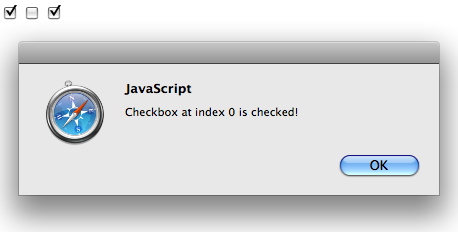
{ if (document.test.checkgroup[i].checked==true) alert("Checkbox
at index "+i+" is checked!")
}
</script> </html> ==========================Find_Freq/Cap/Res============================
SCRIPT
LANGUAGE="JavaScript">
function
DoClear(form)
{ form.REC.value = "" ;
}
function DoCalcF(form)
{ var rv =
form.rval.value;
var rm =
form.rmag.options[form.rmag.selectedIndex].value;
var cv = form.cval.value;
var cm
=
form.cmag.options[form.cmag.selectedIndex].value;
var fv = form.fval.value;
var fm =
form.fmag.options[form.fmag.selectedIndex].value;
var r = rv*rm;
var c = cv*cm;
var f
=
1/(2*Math.PI*r*c);
f =
f.toPrecision(4);
form.fval.value
= f/fm;
form.REC.value = form.REC.value +"F = 1/(2*PI*R*C) =
1/(2*PI*"+r+"*"+c+")="+f+" \n" ;
}
function
DoCalcR(form)
{ var rv = form.rval.value;
var rm
=
form.rmag.options[form.rmag.selectedIndex].value;
var cv = form.cval.value;
var cm =
form.cmag.options[form.cmag.selectedIndex].value;
var fv = form.fval.value;
var fm
=
form.fmag.options[form.fmag.selectedIndex].value;
var f
= fv*fm;
var c = cv*cm;
var r =
1/(2*Math.PI*f*c);
r =
r.toPrecision(4);
form.rval.value
= r/rm;
form.REC.value = form.REC.value +"R = 1/(2*PI*F*C) =
1/(2*PI*"+f+"*"+c+")="+r+" \n" ;
}
function
DoCalcC(form)
{ var rv = form.rval.value;
var rm =
form.rmag.options[form.rmag.selectedIndex].value;
var cv
=
form.cval.value;
var cm =
form.cmag.options[form.cmag.selectedIndex].value;
var fv = form.fval.value;
var fm
=
form.fmag.options[form.fmag.selectedIndex].value;
var f = fv*fm;
var r
= rv*rm;
var c =
1/(2*Math.PI*r*f);
c =
c.toPrecision(4);
form.cval.value
= c/cm;
form.REC.value = form.REC.value +"C = 1/(2*PI*R*F) =
1/(2*PI*"+r+"*"+f+")="+c+" \n" ;
}
function
numbersonly()
{
if
(event.keyCode < 45 || event.keyCode > 57) return false;
}
</script>
<font
face="helvetica,arial,geneva">
<form
>
<table border="0">
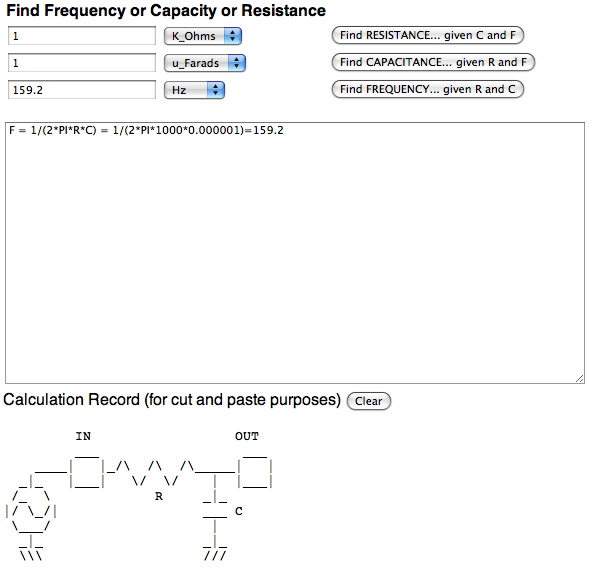
<th> Find Frequency or Capacity or Resistance
</th>
<tr>
<td>
<input type=text
value="1" name="rval"
onkeypress="return numbersonly()">
<select
name="rmag">
<option
value="1">Ohms
<option
value="1000">K_Ohms
<option value="1000000">M_Ohms
<option value="1000000000">G_Ohms
<option value="1000000000000">T_Ohms
</select>
</td>
<td> <input type=button value="Find RESISTANCE... given
C and F" onClick="DoCalcR(this.form)">
</td>
<tr>
<td>
<input type=text value="1" name="cval"
onkeypress="return numbersonly()">
<select
name="cmag">
<option value="1">Farads
<option value=".001">m_Farads
<option value=".000001">u_Farads
<option value=".000000001">n_Farads
<option value=".000000000001">p_Farads
<option value=".000000000000001">f_Farads
</select>
</td>
<td>
<input type=button
value="Find CAPACITANCE... given
R and F" onClick="DoCalcC(this.form)">
</td>
</tr>
<td> <input type=text value="1" name="fval"
onkeypress="return numbersonly()">
<select
name="fmag">
<option value="1">Hz
<option value="1000">K_Hz
<option value="1000000">M_Hz
<option value="1000000000">G_Hz
</select> </td>
<td> <input
type=button value="Find FREQUENCY... given R and
C" onClick="DoCalcF(this.form)">
</td>
</tr>
</table>
<p>
<textarea
name="REC"
cols="80" rows="20"
value="nothing"></textarea> <br> Calculation Record (for cut
and paste purposes)
<input
type=button value="Clear"
onClick="DoClear(this.form)">
</form>
<pre>
IN
OUT
___
___
____| |_/\ /\
/\_____| |
_|_ |___| \/ \/
| |___|
/_
\
R _|_
|/
\_/|
___ C
\___/
|
_|_
_|_
\\\
///
<SCRIPT
LANGUAGE="JavaScript"> function
DoClear(form)
{ form.REC.value =
"" ; } function
DoCalcR(form)
{ var lv
=
form.lval.value; var lm
=
form.lmag.options[form.lmag.selectedIndex].value; var cv
=
form.cval.value; var cm
=
form.cmag.options[form.cmag.selectedIndex].value; var fv
=
form.fval.value; var fm
=
form.fmag.options[form.fmag.selectedIndex].value; var rv
=
form.rval.value; var rm
=
form.rmag.options[form.rmag.selectedIndex].value; f
=
fv*fm; r
=
rv*rm; l
=
r/(2*Math.PI*f); l
=
l.toPrecision(4); c
=
1/(2*Math.PI*f*r); c
=
c.toPrecision(4); form.lval.value =
l/lm; form.cval.value =
c/cm; form.REC.value = form.REC.value +"L = Z/(2*PI*F) =" + r +
"/(2*PI*" + f + ")="+l+" \n" ; form.REC.value = form.REC.value +"C = 1/(2*PI*F*Z) =1/(2*PI*" +
f + "*"+r+")="+c+" \n" ; } function
DoCalcF(form)
{ var lv
=
form.lval.value; var lm
=
form.lmag.options[form.lmag.selectedIndex].value; var cv
=
form.cval.value; var cm
=
form.cmag.options[form.cmag.selectedIndex].value; var fv
=
form.fval.value; var fm
=
form.fmag.options[form.fmag.selectedIndex].value; var rv
=
form.rval.value; var rm
=
form.rmag.options[form.rmag.selectedIndex].value; c
=
cv*cm; l
=
lv*lm; f
=
Math.sqrt(1/((2*Math.PI)*(2*Math.PI)*l*c)); f
=
f.toPrecision(4); r
=
1/((2*Math.PI*f)*(c)); r
=
r.toPrecision(4); form.fval.value =
f/fm; form.rval.value =
r/rm; form.REC.value = form.REC.value +"F = 1/(2*PI*sqrt(L*C)) =
1/(2*PI*sqrt("+l+"*"+c+"))="+f+" \n" ; form.REC.value = form.REC.value +"Z = 2*PI*F*L =
2*PI*"+f+"*"+l+"))="+r+" \n" ; } function
DoCalcL(form)
{ var lv
=
form.lval.value; var lm
=
form.lmag.options[form.lmag.selectedIndex].value; var cv
=
form.cval.value; var cm
=
form.cmag.options[form.cmag.selectedIndex].value; var fv
=
form.fval.value; var fm
=
form.fmag.options[form.fmag.selectedIndex].value; var rv
=
form.rval.value; var rm
=
form.rmag.options[form.rmag.selectedIndex].value; c
=
cv*cm; f
=
fv*fm; l
=
1/((2*Math.PI*f)*(2*Math.PI*f)*c); l
=
l.toPrecision(4); form.lval.value =
l/lm; r
=
1/((2*Math.PI*f)*c); r
=
r.toPrecision(4); form.rval.value =
r/rm; form.REC.value = form.REC.value +"L = 1/((2*PI*F)^2*C) =
1/((2*PI*"+f+")^2*"+c+"))="+l+" \n" ; form.REC.value = form.REC.value +"Z = 2*PI*F*L =
2*PI*"+f+"*"+l+"))="+r+" \n" ; } function
DoCalcC(form)
{ var lv
= form.lval.value; var lm
=
form.lmag.options[form.lmag.selectedIndex].value; var cv
=
form.cval.value; var cm
=
form.cmag.options[form.cmag.selectedIndex].value; var fv
=
form.fval.value; var fm
=
form.fmag.options[form.fmag.selectedIndex].value; var rv
=
form.rval.value; var rm
=
form.rmag.options[form.rmag.selectedIndex].value; l
=
lv*lm; f
=
fv*fm; c
=
1/((2*Math.PI*f)*(2*Math.PI*f)*l); c
=
c.toPrecision(4); form.cval.value =
c/cm; r
=
(2*Math.PI*fv*fm)*(lv*lm); r
=
r.toPrecision(4); form.rval.value =
r/rm; form.REC.value = form.REC.value +"C = 1/((2*PI*F)^2*L) =
1/((2*PI*"+f+")^2*"+l+"))="+c+" \n" ; form.REC.value = form.REC.value +"Z = 1/(2*PI*F*C) =
1/(2*PI*"+f+"*"+c+")="+r+" \n" ; } function
numbersonly()
{
if
(event.keyCode < 45 || event.keyCode > 57) return false; } </script> <font
face="helvetica,arial,geneva">
<form > <table
border="0"> <th>
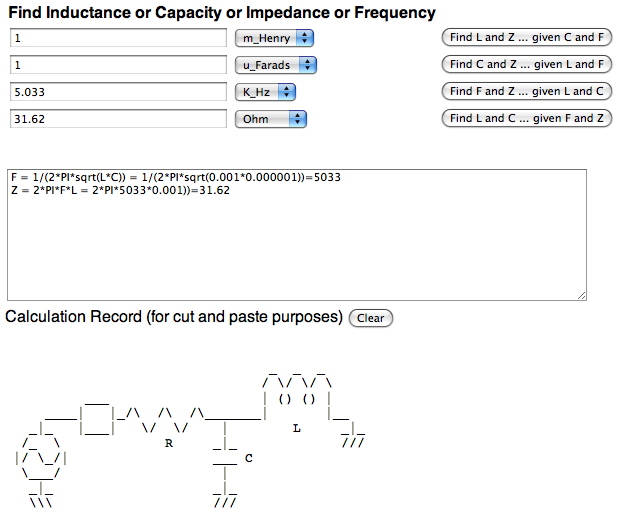
Find Inductance
or Capacity or Impedance or Frequency
</th> <tr> <td>
<input type=text size = "30" value="1" name="lval"
onkeypress="return numbersonly()"> <select
name="lmag"> <option
value="1">Henry <option value=".001">m_Henry <option value=".000001">u_Henry <option value=".000000001">n_Henry <option value=".000000000001">p_Henry </select>
</td> <td>
<input type=button value="Find
L and Z given C and F"
onClick="DoCalcL(this.form)"></td><tr>
<td>
<input type=text size = "30" value="1" name="cval"
onkeypress="return numbersonly()"> <select name="cmag"> <option value="1">Farads <option value=".001">m_Farads <option value=".000001">u_Farads <option value=".000000001">n_Farads <option value=".000000000001">p_Farads <option value=".000000000000001">a_Farads </select>
</td> <td> <input
type=button value="Find
C and Z given L and F"
onClick="DoCalcC(this.form)"></td></tr>
<td>
<input type=text size = "30" value="1" name="fval"
onkeypress="return numbersonly()"> <select name="fmag"> <option value="1">Hz <option value="1000">K_Hz <option value="1000000">M_Hz <option value="1000000000">G_Hz </select>
</td> <td>
<input type=button value="Find
F and Z given L and C"
onClick="DoCalcF(this.form)"></td></tr> <td> <input
type=text size = "30" value="1" name="rval"
onkeypress="return numbersonly()"> <select name="rmag"> <option value="1">Ohm <option value="1000">K_Ohm <option value="1000000">M_Ohm <option value="1000000000">G_Ohm </select>
</td> <td>
<input type=button value="Find
L and C given F and Z"
onClick="DoCalcR(this.form)"></td></tr> </table> <br>
<p> <textarea
name="REC" cols="80" rows="10"
value="nothing"></textarea> <br> Calculation
Record (for cut and
paste purposes) <input
type=button value="Clear"
onClick="DoClear(this.form)">
<pre>
function
changeSrc(form)
{document.getElementById("myImage1").src
=form.lval.value
+"\n"; document.getElementById("myImage2").src
=form.lval.value
+"\n"; var scale2
=
form.sval.value/100
; document.getElementById("myImage2").width =
scale2*document.getElementById("myImage1").width; } </script>
<form>
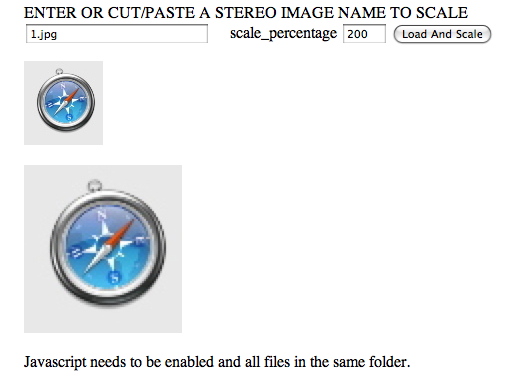
ENTER OR CUT/PASTE A STEREO IMAGE NAME TO
SCALE
<br>
<input
type=text size =
"25" value="1.jpg"
name="lval" > scale_percentage <input
type=text size =
"5" value="100"
name="sval" > <input
type=button value =
"Load And Scale"
onClick="changeSrc(this.form)"><P>
</form>
<img
id="myImage1"
src="1.jpg" ><p> <p>
<img
id="myImage2"
src="1.jpg" > <p>
Javascript
needs to be enabled and all files in the same folder.
<html> <head> <script
type="text/javascript"> function
timedMsg() { var
t=
setTimeout("alert('5
seconds!')",5000); } </script> </head> <body> <form> <input
type="button" value="Display timed alertbox!"
onClick
=
"timedMsg()"> </form> <p>
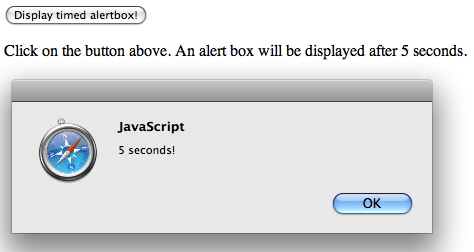
Click on the button above. An
alert box will be displayed
after 5 seconds.</p> </body> </html> ========================COUNTER==========================================
<html>
<head>
<script
type="text/javascript">
var
c=0;
var
t;
function
timedCount()
{ document.getElementById('txt').value=c; c=
c+1; t=
setTimeout("timedCount()",1000);
}
</script>
</head>
<body>
<form>
<input
type="button" value="Start count!" onClick="timedCount()">
<input
type="text" id="txt">
</form>
<p>
Click on the button
above. Input field will count for
ever, starting at 0.</p>
</body>
</html>
=======================CALL_FUNCTION==========================================
<html>
<head>
<script
type="text/javascript">
function
myfunction()
{ alert(
"HELLO");
}
</script>
</head>
<body>
<form>
<input
type="button" onClick="myfunction()"
value="Call function">
</form>
<p>
By pressing the button, a
function will alert a message.</p>
</body>
</html>
=======================FUNCTION_TWO_ARGUMENTS==========================================
<html>
<head>
<script
type="text/javascript">
function myfunction(txt)
{ alert(
txt);
}
</script>
</head>
<body>
<form>
<input
type="button" onClick="myfunction('Good Morning!')"
value="In the Morning">
<input
type="button" onClick="myfunction('Good Evening!')"
value="In the Evening">
</form>
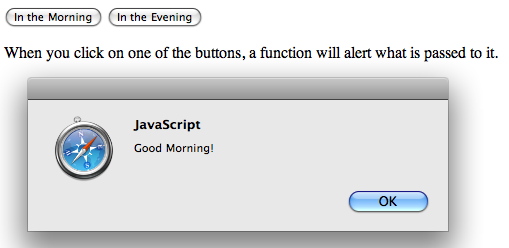
<p> When you click on one of the
buttons, a function will alert what is passed to it.
</p>
</body>
</html>
=======================FUNCTION_RETURN_VALUES==========================================
<html>
<head>
<script
type="text/javascript">
function
product(a,b)
{ returna*b;
}
</script>
</head>
<body>
<script
type="text/javascript">
document.write(
product(4,3));
</script>
<p>
The script in the body section calls a
function with two
parameters (4 and 3).</p>
<p>
The function will return the product
of these two
parameters.</p>
</body>
</html> =======================CHANGE_TEXT_IN_PAGE==========================================
<html>
<head>
<title>
Dynamic Text in JavaScript</title>
<script
language="Javascript">
function
ChangeTitle()
{ var newtitle
=
document.form1.newtitle.value;
var head1
=
document.getElementById("head1"); head1.firstChild.nodeValue=
newtitle;
}
</script>
</head>
<body>
<h1
ID="head1">
Dynamic Text in JavaScript</h1>
<p>
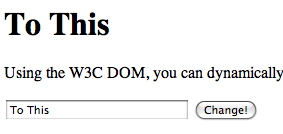
Using the W3C DOM, you can dynamically
change the heading at the top of this
page. Enter a new title and click the
Change button.</p>
<form
name="form1">
<input
type="text"
name="newtitle" size="25">
<input
type="button"
value="Change!" onClick="ChangeTitle();">
</form>
</body>
</html>
<html>
<head>
<title>
Adding to a page</title>
<script
language="Javascript">
function
AddText()
{ var sentence=
document.form1.sentence.value;
var node=
document.createTextNode("
" + sentence);
document.getElementById(
"p1").appendChild(node);
}
</script>
</head>
<body>
<h1>
Create Your Own Content</h1>
<p
ID="p1">
Using the W3C DOM, you can dynamically
add sentences to this paragraph. Type a sentence
and click the Add button.</p>
<form
name="form1">
<input
type="text"
name="sentence"
size="65">
<input
type="button"
value="Add"
onClick="AddText();">
</form>
</body>
</html>
<html>
<head><title>
Create a New Window</title>
</head>
<body>
<h1>
Create a New Window</h1>
<hr>
<p>
Use the buttons below to test opening and closing windows in
JavaScript.</p>
<hr>
<form
NAME="winform">
<input
TYPE="button"
VALUE="Open New Window"
onClick="NewWin=window.open('','NewWin','toolbar=no,status=no,width=200,height=100');
">
<p><input
TYPE="button" VALUE="Close New Window"
onClick="NewWin.close();"
></p>
<p><input
TYPE="button" VALUE="Close Main Window"
onClick="NewWin.close();"></p>
</form>
<br><p>
Have fun!</p>
<hr>
</body>
</html>
<html>
<head>
<title>
Form Example</title>
<script
LANGUAGE="JavaScript">
function
validate()
{
if
(document.form1.yourname.value.length
< 1)
{
alert(
"Please enter your
full name.");
return
false;
}
if
(document.form1.address.value.length < 3)
{
alert(
"Please enter your
address.");
return
false;
}
if
(document.form1.phone.value.length < 3)
{
alert(
"Please enter your phone
number.");
return
false;
}
return
true;
}
</script>
</head>
<body>
<h1>
Form Example</h1>
<p>
Enter the following information.
When you press the Display
button,
the data you entered will be validated, then sent by email.</p>
<form
name="form1"action="mailto:user@host.com"
enctype="text/plain" onSubmit="validate();">
<p><b>
Name:</b>
<input
TYPE="TEXT"
LENGTH="20"
NAME="yourname">
</p>
<p><b>
Address:</b>
<input
TYPE="TEXT" LENGTH="30"
NAME="address">
</p>
<p><b>
Phone: </b>
<input
TYPE="TEXT" LENGTH="15"
NAME="phone">
</p>
<p><input
TYPE="SUBMIT"
VALUE="Submit"></p>
</form>
</body>
</html>
<script
type="text/javascript"> function
employee(name,jobtitle,born) { this.name=name; this.jobtitle=jobtitle; this.born=born; } var fred=new employee("Fred
Flintstone","Caveman",1970); document.write(fred.toSource()); // output will be: ({name:"Fred
Flintstone", jobtitle:"Caveman", born:1970}) </script>
use the prototype property to
add a property to an object:
<script type="text/javascript">
function employee(name,jobtitle,born)
{
this.name=name;
this.jobtitle=jobtitle;
this.born=born;
}
var fred=new employee("Fred Flintstone","Caveman",1970);
employee.prototype.salary=null;
fred.salary=20000;
document.write(fred.salary);
</script>
The output of the code above will be:
20000
================DOC_OBJ_HOW2============================ <textarea id="holder">
This is line 1
This is line 2
This is line 3
</textarea>
<script
type="text/javascript">
//Examining
TEXTAREA, line by line var containertext=document.getElementById("holder").value.split("\n")
//Store each line of textarea as array element
alert(containertext[2])
//alerts "This is
line 3
</script>
<html>
<head>
<script type="text/javascript">
function getElements()
{
var x=document.getElementsByName("myInput");
alert(x.length);
}
</script>
</head>
<body>
<input name="myInput" type="text" size="20" /><br />
<input name="myInput" type="text" size="20" /><br />
<input name="myInput" type="text" size="20" /><br />
<br />
<input type="button" onclick="getElements()"
value="How many elements named 'myInput'?" />
</body>
</html>
========================================================================== To Infinity And Beyond
result=2;
for (i=1; result!=Infinity; i++){
result=result*result;
document.writeln(i+':'+result+'<BR>');
}
x = x+5; // is the same as x += 5;
x = x-5; // is the same as x -= 5;
x = x*5; // is the same as x *= 5;
x = x/5; // is the same as x /= 5;
x = x%5; // is the same as x %= 5;
x = x&5; // is the same as x &=
5;
x = x|5; // is the same as x |= 5;
x = x^5; // is the same as x ^= 5;
x = x<<5; // is the same as x <<=
5;
x = x>>5; // is the same as x >>=
5;
x = x>>>5; // is the same as x
>>>= 5;
document.writeln(parseInt('ff',16)+'<br>');
// outputs: 255
document.writeln(parseInt('09')+'<br>');
// outputs: 0 (octal conversion)
document.writeln(parseInt('09',10)+'<br>');
// outputs: 9 (base 10 forced)
document.writeln(parseInt('123.85')+'<br>');
// outputs: 123
document.writeln(parseInt('0123.85')+'<br>');
// outputs: 83 (octal conversion!)
document.writeln(parseInt('0123.85',10)+'<br>'); // outputs: 123
(base 10 forced)
document.writeln(parseInt('$123.85',10)+'<br>'); // outputs: NaN
(Not a Number)
document.writeln(parseInt('1,423.8',10)+'<br>'); // outputs: 1
document.writeln(parseInt('0x7',10)+'<br>');
// outputs: NaN (hex not base 10)
document.writeln(parseInt('255',2)+'<br>');
// outputs: NaN (Binary only 1 and 0)
document.writeln(parseInt('10',2)+'<br>');
// outputs: 2
document.writeln(parseFloat('ff')+'<br>');
// outputs: NaN
document.writeln(parseFloat('09')+'<br>');
// outputs: 9 (No octal conversion)
document.writeln(parseFloat('09')+'<br>');
// outputs: 9
document.writeln(parseFloat('123.85')+'<br>');
// outputs: 123.85
document.writeln(parseFloat('0123.85')+'<br>');
// outputs: 123.85 (No octal conversion)
document.writeln(parseFloat('$123.85')+'<br>');
// outputs: NaN (Not a Number)
document.writeln(parseFloat('1,423.8')+'<br>');
// outputs: 1 (, breaks the parse)
document.writeln(parseFloat('0xff')+'<br>');
// outputs: 0 (No hex conversion)
document.writeln(parseFloat('3.14')+'<br>');
// outputs: 3.14
document.writeln(parseFloat('314e-2')+'<br>');
// outputs: 3.14
document.writeln(parseFloat('0.0314E+2')+'<br>'); //
outputs: 3.14
document.writeln(parseFloat('3.14 is pi')+'<br>'); // outputs:
3.14
var value = 255 / 'greed';
document.writeln(isNaN(value)+'<br>');
// outputs: true
var value = 255 / 0;
document.writeln(isNaN(value)+'<br>');
// outputs: false
document.writeln(value+'<br>');
// outputs: infinity
var value = 255 / 'greed';
document.writeln((value==value)+'<br>'); // outputs:
false
var numericLiteral = 0;
var numericObject = new Number(0);
if (numericLiteral) { } // false because 0 is a false value, will not
be executed.
if (numericObject) { } // true because numericObject exists as an
object, will be executed.
var x = Number('three'); // x = NaN (Not a number)
var x = Number('25'); // x = 25;
var x = Number('0377'); // x = 377; (Not octal)
var x = Number(0377); // x = 255; (Octal
Conversion)
var x = Number('0xFF'); // x = 255; (Hex Conversion)
var x = new Number(5);
document.writeln(Number.MAX_VALUE+'<BR>'); // Returns:
1.7976931348623157e+308
document.writeln(x.MAX_VALUE+'<BR>');
// Returns: undefined.
var x = 5;
document.writeln(Number.MAX_VALUE+'<BR>'); // Returns:
1.7976931348623157e+308
document.writeln(x.MAX_VALUE+'<BR>');
// Returns: undefined.
var x = Number('three');
if (x==Number.NaN) { alert('not a number!'); }
var x = 28392838283928392*28392838283928392;
if (x==Number.POSITIVE_INFINITY) { alert('out of range!'); }
var x = -28392838283928392*28392838283928392;
if (x==Number.NEGATIVE_INFINITY) { alert('out of range!'); }
var maxNumber = Number.MAX_VALUE;
var minNumber = Number.MIN_VALUE;
var num=255;
document.writeln(num.valueOf()+'<br>'); // Outputs 255
SHOW_HIDE
<head>
<title>Dynamic Text in JavaScript</title>
<script language="Javascript">
function ShowHide() {
var head1 = document.getElementById("head1");
var head2 = document.getElementById("head2");
var showhead1 = document.form1.head1.checked;
var showhead2 = document.form1.head2.checked;
if (navigator.userAgent.indexOf("Netscape6") != -1) {
head1.style.visibility=(showhead1) ?
"visible" : "hidden";
head2.style.visibility=(showhead2) ?
"visible" : "hidden";
} else {
head1.style.display=(showhead1) ? "" :
"none";
head2.style.display=(showhead2) ? "" :
"none";
}
}
</script>
</head>
<body>
<h1 ID="head1">This is the first heading</h1>
<h1 ID="head2">This is the second heading</h1>
<p>Using the W3C DOM, you can choose
whether to show or hide the headings on
this page using the checkboxes below.</p>
<form name="form1">
<input type="checkbox" name="head1"
checked onClick="ShowHide();">
<b>Show first heading</b><br>
<input type="checkbox" name="head2"
checked onClick="ShowHide();">
<b>Show second heading</b><br>
</form>
</body>
</html>
function theytyped(form) {
for ( j = 1;
j<=remark.length && remark[j]!=form.myoutxt.value;
j++){}
if (j>remark.length)
form.myoutxt.value = "Do not type here!";
return false;
}
function touched_frog() {
if (!alerted_already) {
alert(""+
""+
""+
""+
""+
"");
alerted_already = true;
}
return alerted_already;
}
function compute(form) {
for (var i = 1;
i<=remark.length && remark[i]!=form.myoutxt.value ;
i++){}
if (i==remark.length)
history.back();
if (i==remark.length-1)
alert("Dear Sir or Madam:"+
"\n\n It has come to our attention that you have been
harassing"+
"\none of the buttons on the web. Although most buttons are"+
"\nunderstanding about this type of thing (being repeatedly pressed),"+
"\nsome rogue buttons have decided to form a support group and have"+
"\npetitioned the webmaster for funds to provide a secure place for"+
"\nrest and relaxation. Due to the large number of requests,
this"+
"\nwarning has been installed:"+
"\n IF YOU PERSIST PRESSING THIS BUTTON,"+
"\nYOU WILL BE EJECTED FROM THIS SCREEN."+
"\n\n Thank you for your cooperation,"+
"\n\n The Federation for Oppressed and
Abused Buttons"+
"\n\nenclosure: Message from oppressed complaintant"+
"\n\n\n\nDear Federation for Oppressed and Abused Buttons"+
"\n\n As I have been able to secure your assistance
before,"+
"\nI beg your help in stopping the on going abuse I am once again"+
"\nforced to endure. THIS GUY WILL NOT STOP!"+
"\n\n Sincerely"+
"\n\n Push Me"+
"\n\np.s. I will definitely attend the annual meeting next July");
if (i<remark.length)
form.myoutxt.value = remark[i+1];
else
form.myoutxt.value = remark[1];
}
function initArray() {
this.length = initArray.arguments.length;
for (var i = 0; i < this.length; i++)
this[i+1] =
initArray.arguments[i];
}
remark = new initArray( "Thanks!",
"Once is enough!",
"Are you deaf?",
"Go!!..Go back to The Java House",
"SOMEBODY STOP THIS GUY!",
"I give up. Please stop.",
"I SAID PLEASE, WHAT'S WRONG WITH YOU!",
"O.K. I HEARD YOU!",
"This is NOT funny!",
"I give up.",
"LAST WARNING! This is now a BACK BUTTON!");
alerted_already = false;
// end hiding contents -->
</script>
</HEAD>
<BODY>
<form name="buttons" method="post" onSubmit="return false">
<input type="button" name="pushme" value="Push Me"
onClick="compute(this.form)"
onMouseOver="window.status='LEAVE ME ALONE!';
return touched_frog()">
<input type="text" value=" "
name="myoutxt"
onBlur="theytyped(this.form)"
onFocus="theytyped(this.form)"
onChange="theytyped(this.form)"
size=40>
</form>
<P><BR><P>
Do NOT push me more than once..........or else!
</BODY>
</HTML>